CREATE KALSHI API KEY
How to create an API Key on kalshi for ALPH.BOT
By Kyler Clonts
How to Create a Kalshi API Key
-
Go to Kalshi.com and sign up for a new account
-
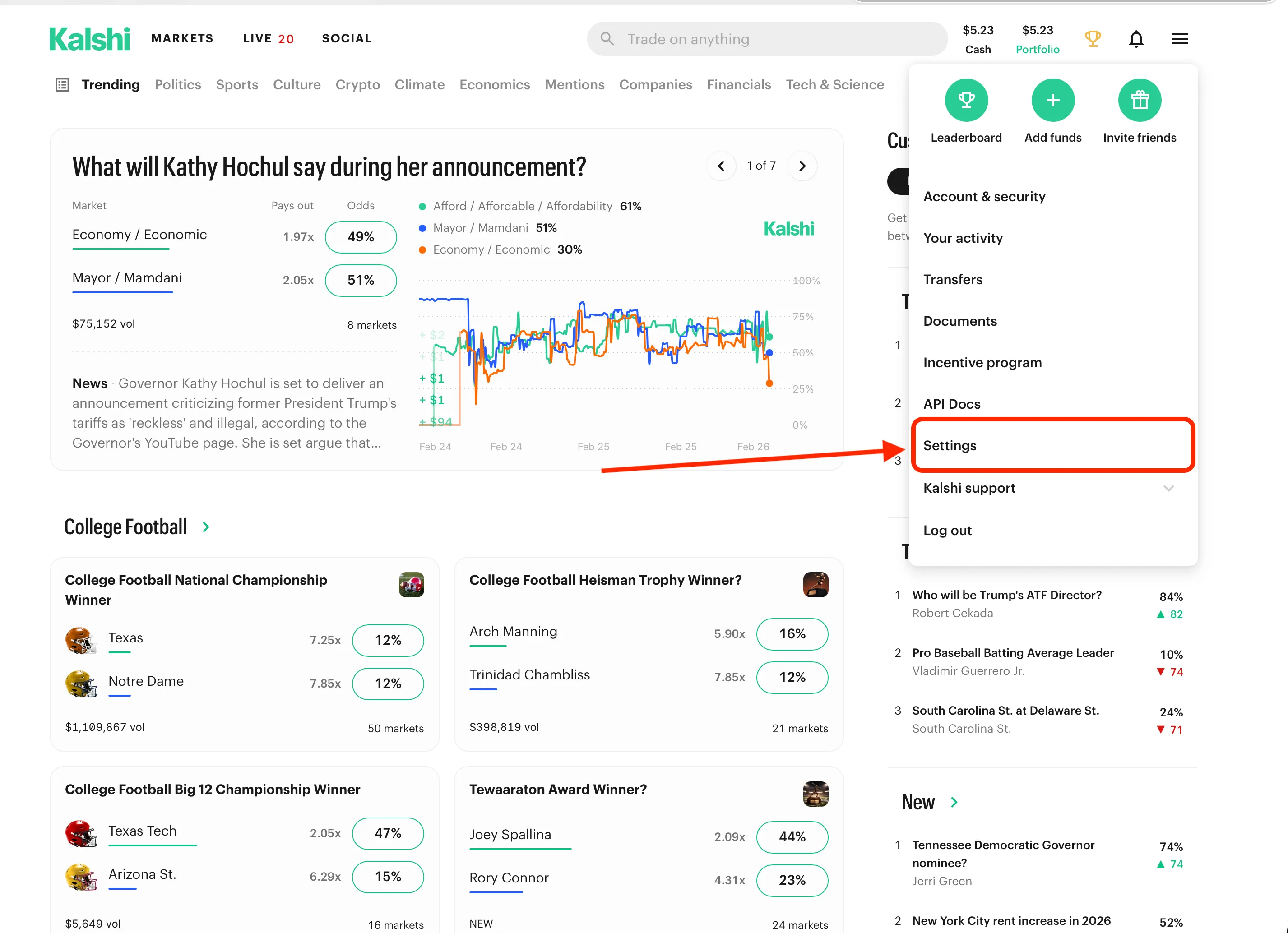
Navigate to the “Account Settings” page. You can typically find this option by clicking on your profile picture or account icon in the top-right corner of the application.
-
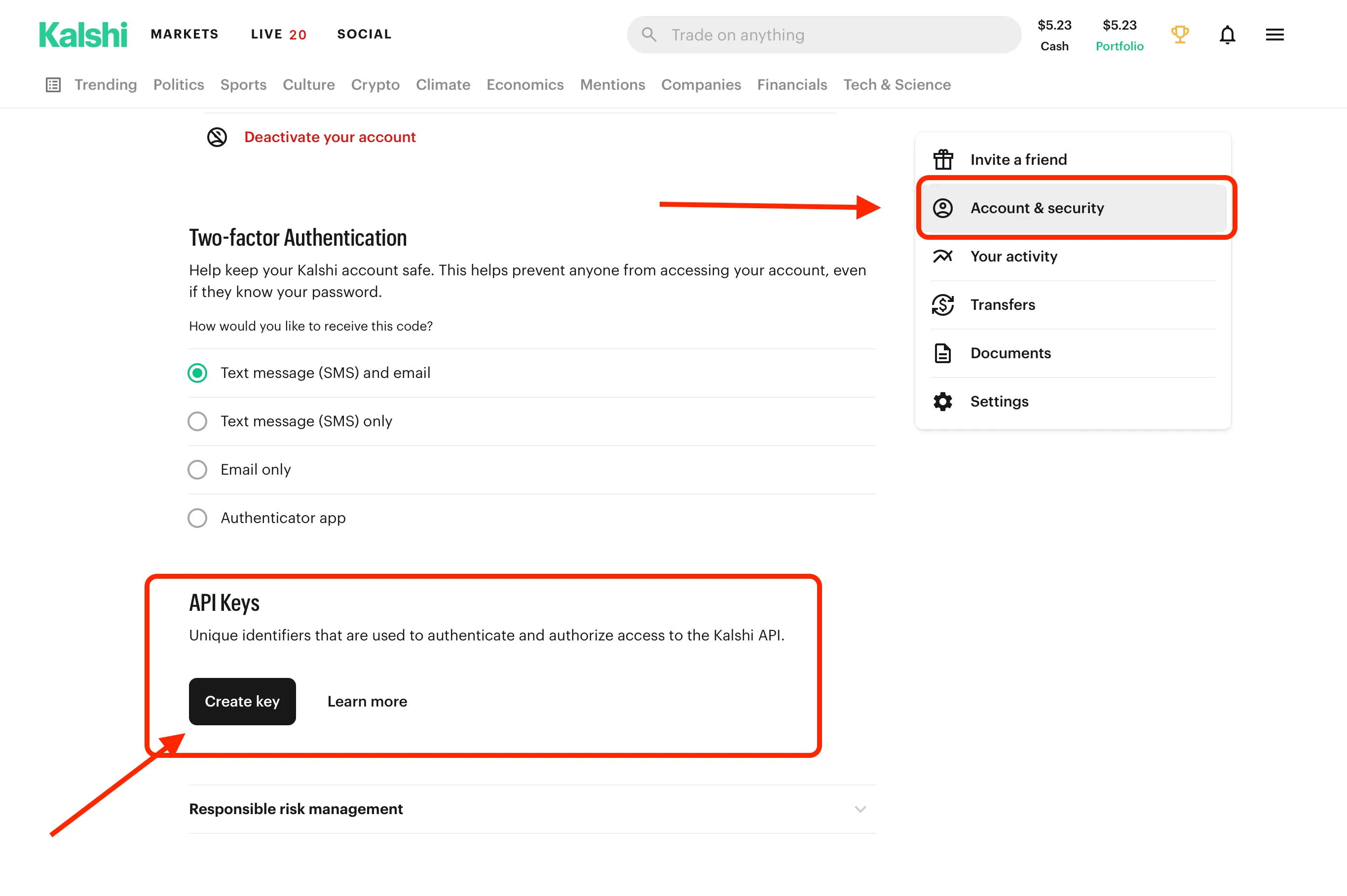
Navigate to the account settings tab and create an API Key
-
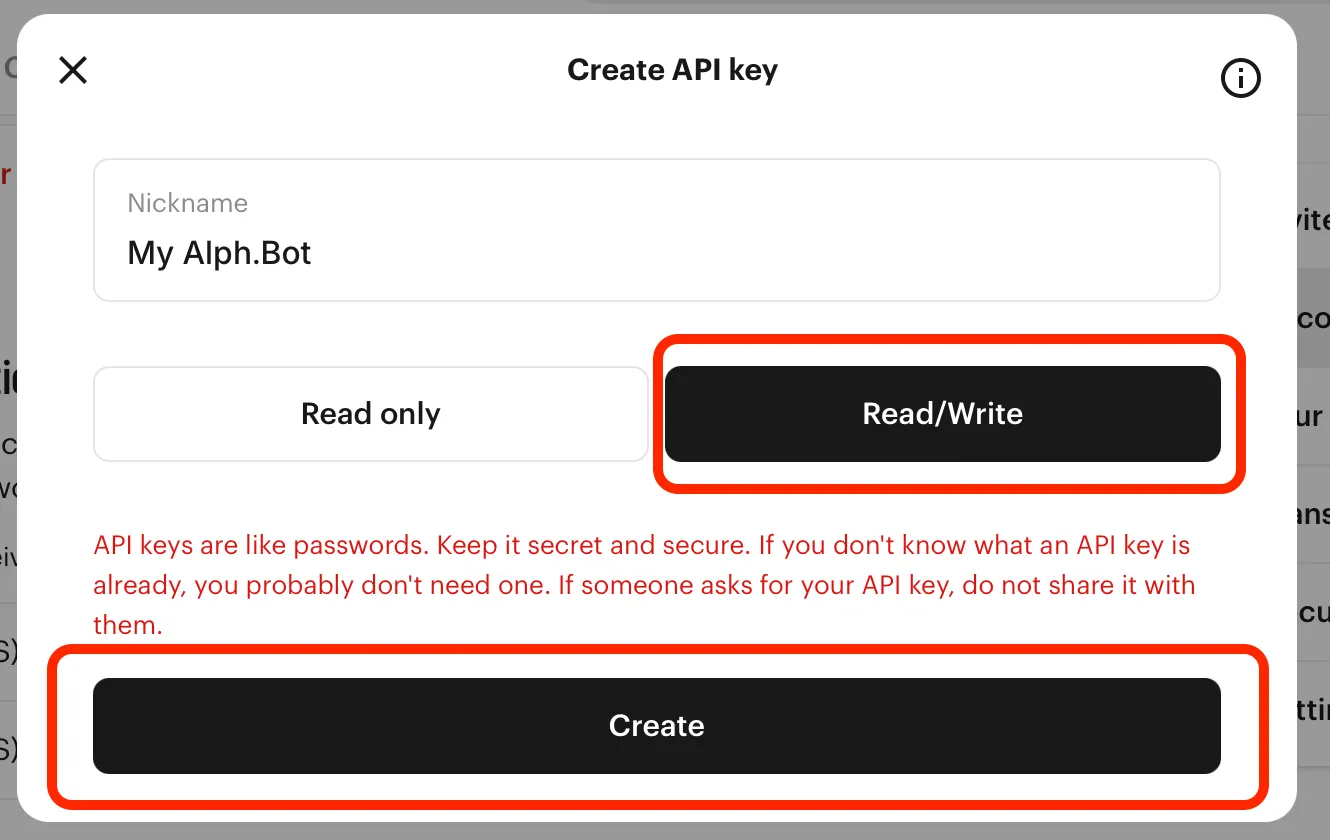
In the pop up, name your API key. Ensure the read/write option is selected then create the key.
-
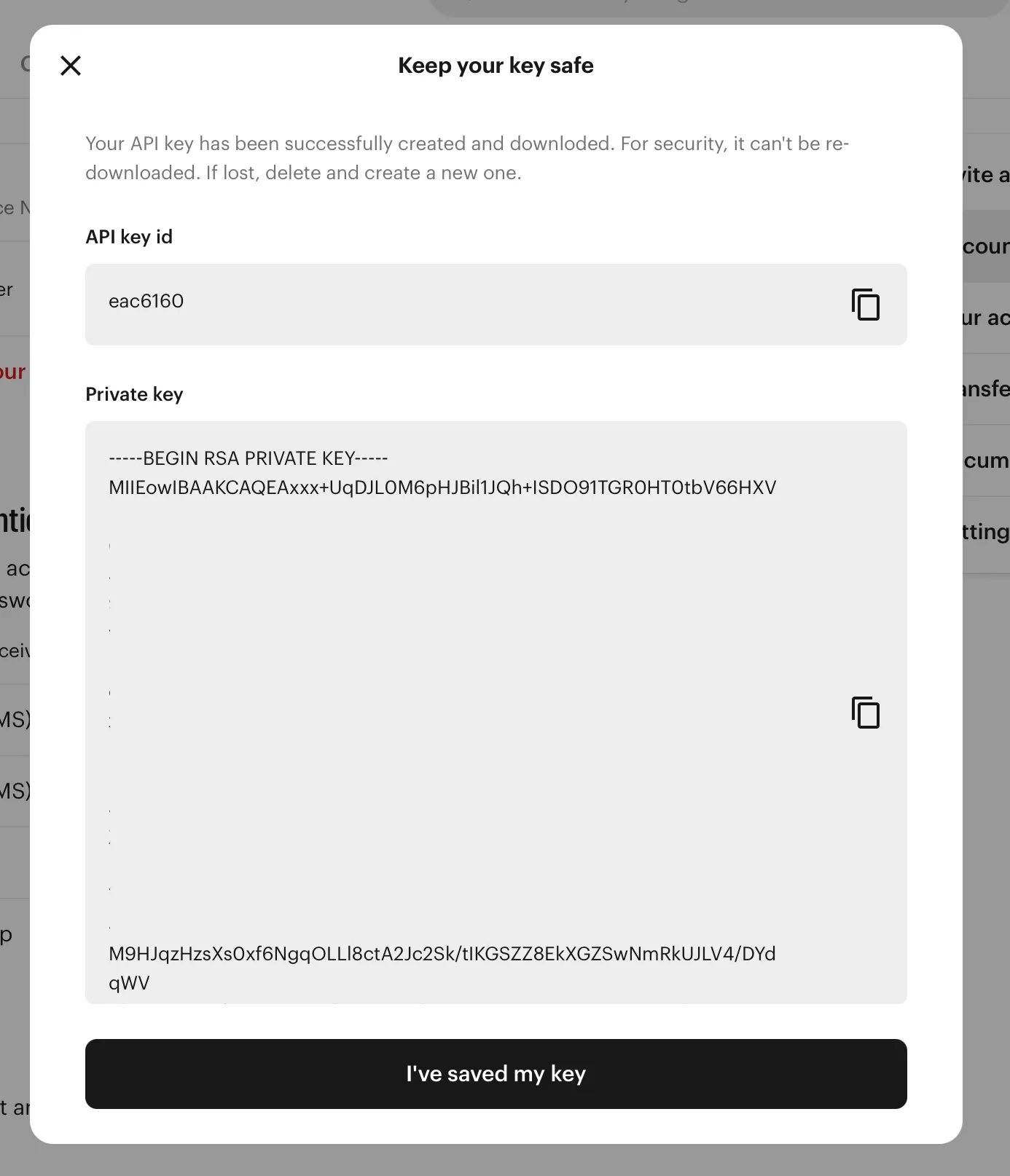
Save your API key id & Private Key in a safe place. You’ll need later for ALPH.BOT.
You can learn more about Kalshi API Keys from their docs.